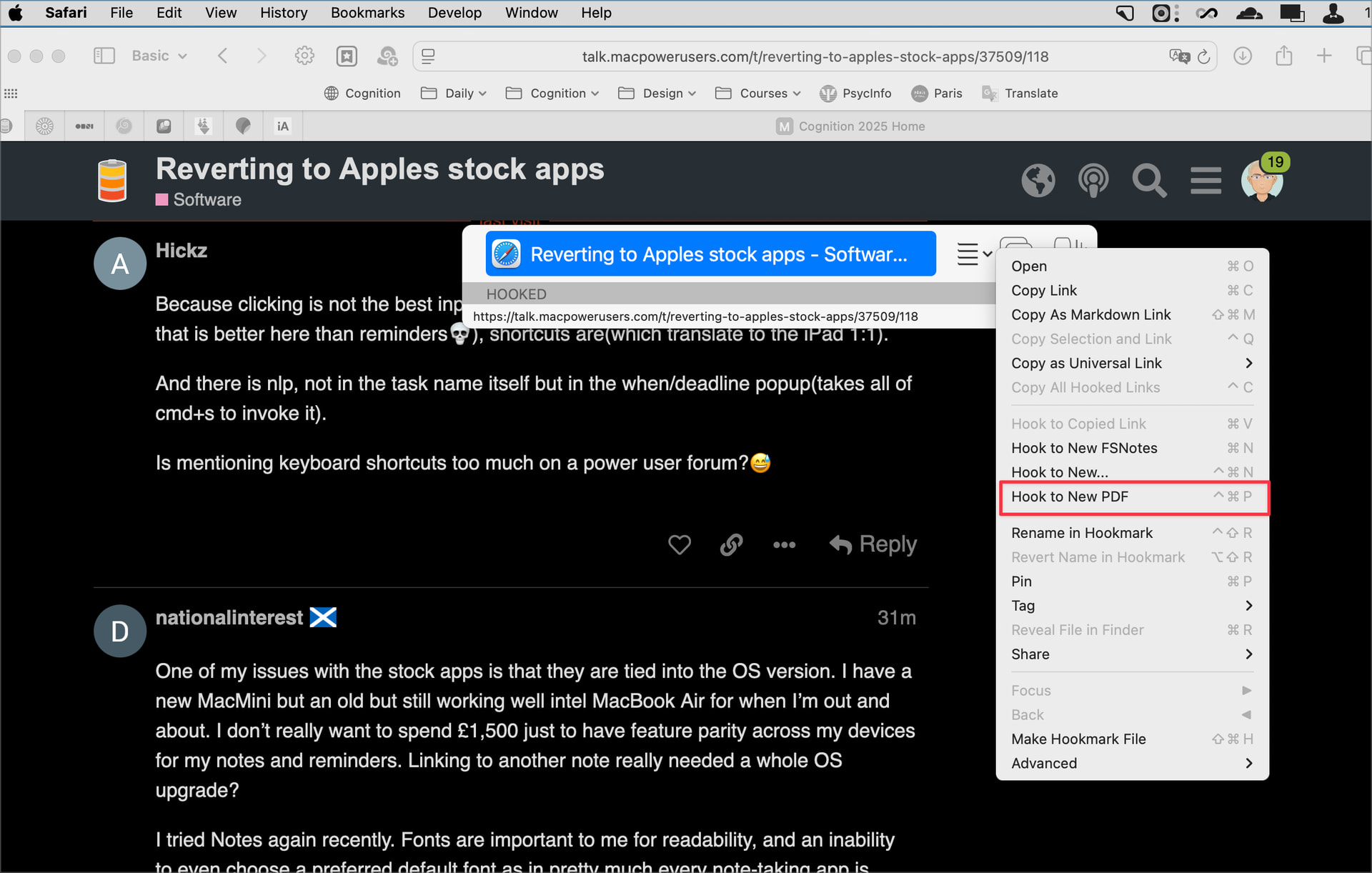
Hookmark 7.0 (6510; Integration v. 404) Beta 2 is now available. In addition to the Clean My Links featured in the first beta, this new beta includes a new Hook to New PDF command. It is similar to Hook to New instead, when invoked in a web browser, this command creates a new PDF of the current web page (retrieved from the server, not the browser), hooks it and stores it in the default PDFs folder (which you can configure on Hookmark’s Advanced Settings tab).
Unlike other PDF generation commands, this command does not require a browser extension or plugin. Like Clean My Links, Hook to New PDF works immediately in all browsers.
Hook to New PDF is available in Hookmark trial mode and in Hookmark Pro mode only.
Perhaps I’m doing something wrong but installed the new beta and the command-control-p sequence does nothing. I’m using Mac OS 15.7.3. Does this feature only work with Tahoe?
Could you please check by going manually to the action button’s drop-down menu and choose the command from there to see if it works. It could be a conflict with some other piece of software using that keyboard shortcut
See image below. Choosing manually does work. I am in Safari. Unfortunately the shortcut doesn’t work … I’ve poked around a bit to see if I have a conflicting shortcut assigned to the same keys but so far no luck in finding a conflict.