Have you seen these? Playlists with Hookmark videos, lead by weird spam videos. I recorded some of it, but you can just search for “Hookmark files” for example.
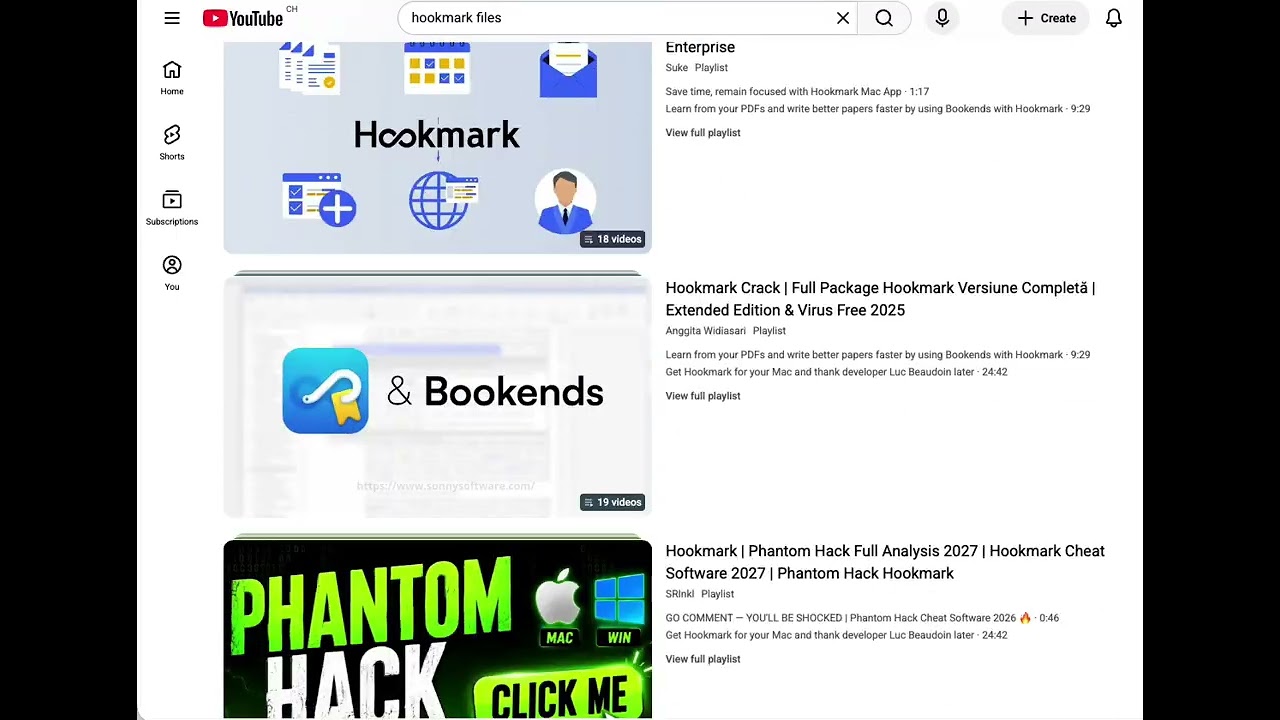
Have you seen these? Playlists with Hookmark videos, lead by weird spam videos. I recorded some of it, but you can just search for “Hookmark files” for example.
Thanks for the tip. We are looking into it.
Once again, thanks for pointing out these videos. We’ve posted a warning on the Hookmark download page about this: “It has come to our attention that unscrupulous persons are offering workarounds for using paid versions of Hookmark without a license. We have analyzed some of these offerings, and found that they all lead to malware. Please exercise extreme caution when considering trying to find such workarounds.”
Please only download Hookmark from our Download page. Once you have dowloaded the latest version of Hookmark, please use the Update commands to update Hookmark for Mac. You can find this command:
Check for App Updates and Update Scripts...Update Hookmark , orThe warning on the download page seems like the right call, especially since you found that all those workarounds lead to malware. It’s a good reminder that searching for a cracked version often trades one problem for a worse one. Sticking to the Gear menu > Advanced > Check for App Updates path for updates also makes sense rather than grabbing files from random links. Hopefully the reports lead to those videos coming down soon.
The download-page warning is the practical step here; if every workaround you checked leads to malware, telling users plainly is better than staying quiet. I’d also keep the update path visible next to it, since people searching for a cracked build are often just trying to avoid a paid upgrade rather than hunting for trouble. Reporting the videos may take a while to have any effect, so the warning does the immediate work. Do you plan to note when the warning was last reviewed, so readers can tell it reflects the current findings?
The review-date idea is worth adopting. A warning without a timestamp ages badly, and readers hunting for a cracked build have no way to judge whether it still reflects current findings. Pairing that with the Gear menu > Advanced update path keeps the honest route in view for anyone who just wanted to skip a paid upgrade. On reporting, the warning carries the load in the meantime, so a short note that findings are being tracked would help too. How often would you revisit it — after each new report, or on a fixed schedule?