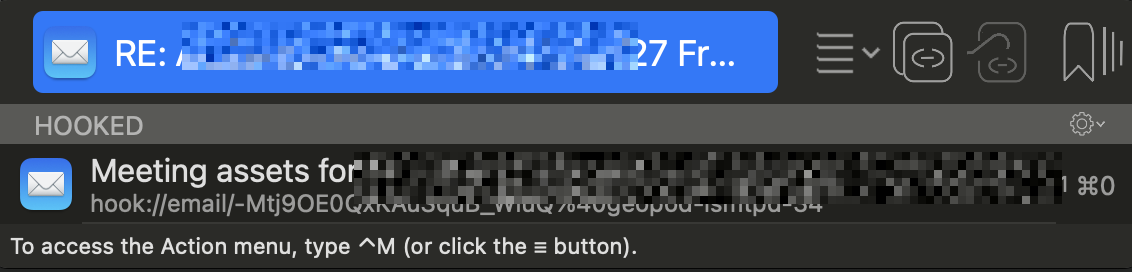
So, instead of a link in Hookmark taking you to one email and you needing to see in the top toolbar that there is another document connected, is it possible for there to be a type of link in Hookmark that takes you directly to the Hookmark context window (see above), which shows what other emails/documents are attached to it?
Do you mean you want to open the hooked link “Meeting assets for…” in Hookmark context window? If yes, you can select the link(mouse click or use arrow key), then press right arrow key. Right arrow key is enabled when the link is selected.
Hi @bchend and thank you for your reply. No, I was hoping there was a way to link to the context view I screenshot (i.e. I click the Hookmark link and instead of taking me to an email (or document) it takes me to the context window where I can see all the attached files without having to open any of them.
Do you mean, when you click on a hookmark link (hook://…) in a document, a Hookmark window will open for that link? If yes, I can submit a feature request for this.