I’ve just updated to HP 6.12 and have noticed some strange behaviour, particularly with links between Tinderbox notes and PDFs in Skim. First the number of links in the menu bar is missing and there is only a question mark. I’ve tried the obvious things such as restarting the computer and checking permissions to no avail. I then discovered that for some Tinderbox notes the links along with their names have disappeared entirely. In this situation, if I go to the Finder and open a PDF that should be linked, the link to the Tinderbox note works perfectly, apart from the menu bar showing a question mark. Interestingly, too, the Tinderbox note opened via Hookmark now lists all the missing links. This doesn’t restore them, though, because if I open the same note from within Tinderbox, the links are no longer there. Is this a bug or am I missing something embarrassingly obvious?
thanks for reporting. We encountered this too and it will be fixed in Hookmark 6.13 due soon.
I then discovered that for some Tinderbox notes the links along with their names have disappeared entirely.
We haven’t had other reports of this and haven’t touched Tinderbox integration since October and have lots of Tinderbox users so this suggests something specific about your setup. Is it possible you have replicated the notes?
Can you send us some screenshots from within Tinderbox of where the hooks are and are not showing up? You can send as a PM if you prefer not to have the info on the web.
I’ve renamed this topic to In Hookmark Pro 6.12: missing hooks in Tinderbox and spurious "?" in menu bar icon to be more precise.
Do you mean if you select the Tinderbox note in Bookmark window, then invoke Hookmark window, you can see all the links? If so, could you please do “copy link” after you invoke Hookmark window for this link? Then invoke Hookmark window for the same note in Tinderbox, also do “copy link”. Then post the two links here.
Thank you
RE: Do you mean if you select the Tinderbox note in Bookmark window, then invoke Hookmark window, you can see all the links?
Thanks for this. I’ll try to put what happens a bit more precisely.
- In a particular Tinderbox folder, I’ve added Hookmark links to 28 of the notes it contains. For 19 of these Tinderbox notes, the links appear in the dropdown Hookmark window as expected. For each of the 9 problematic notes, only its name appears. I use this hook symbol to indicate the files that have been linked.
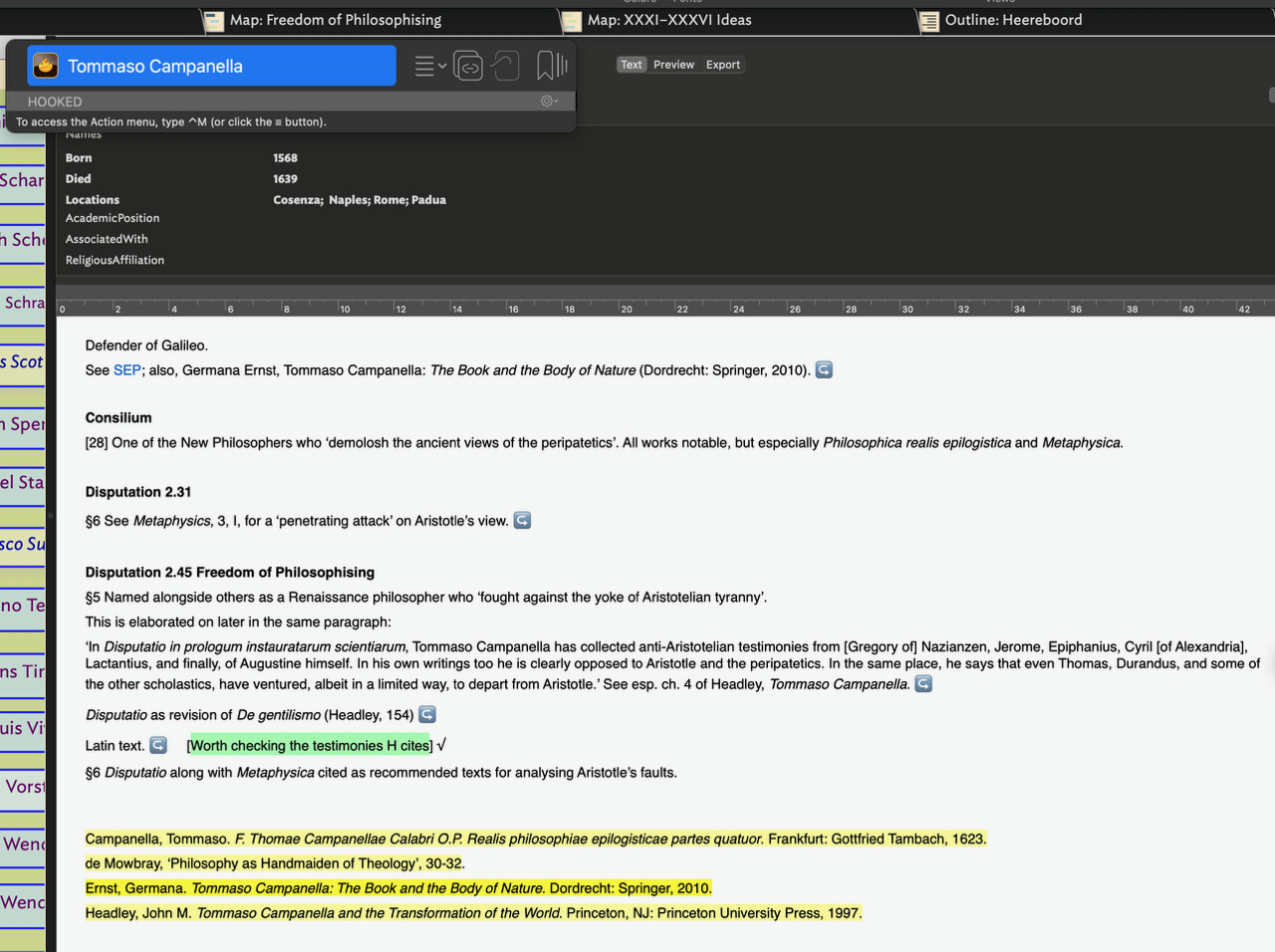
- When I discovered this, my first thought was that maybe I’d marked what I intended to link but hadn’t actually done so. To check this, I opened one of the supposedly linked PDFs manually in Skim via the Finder and sure enough the link back to the Tinderbox note was there (as one of a number of other links).
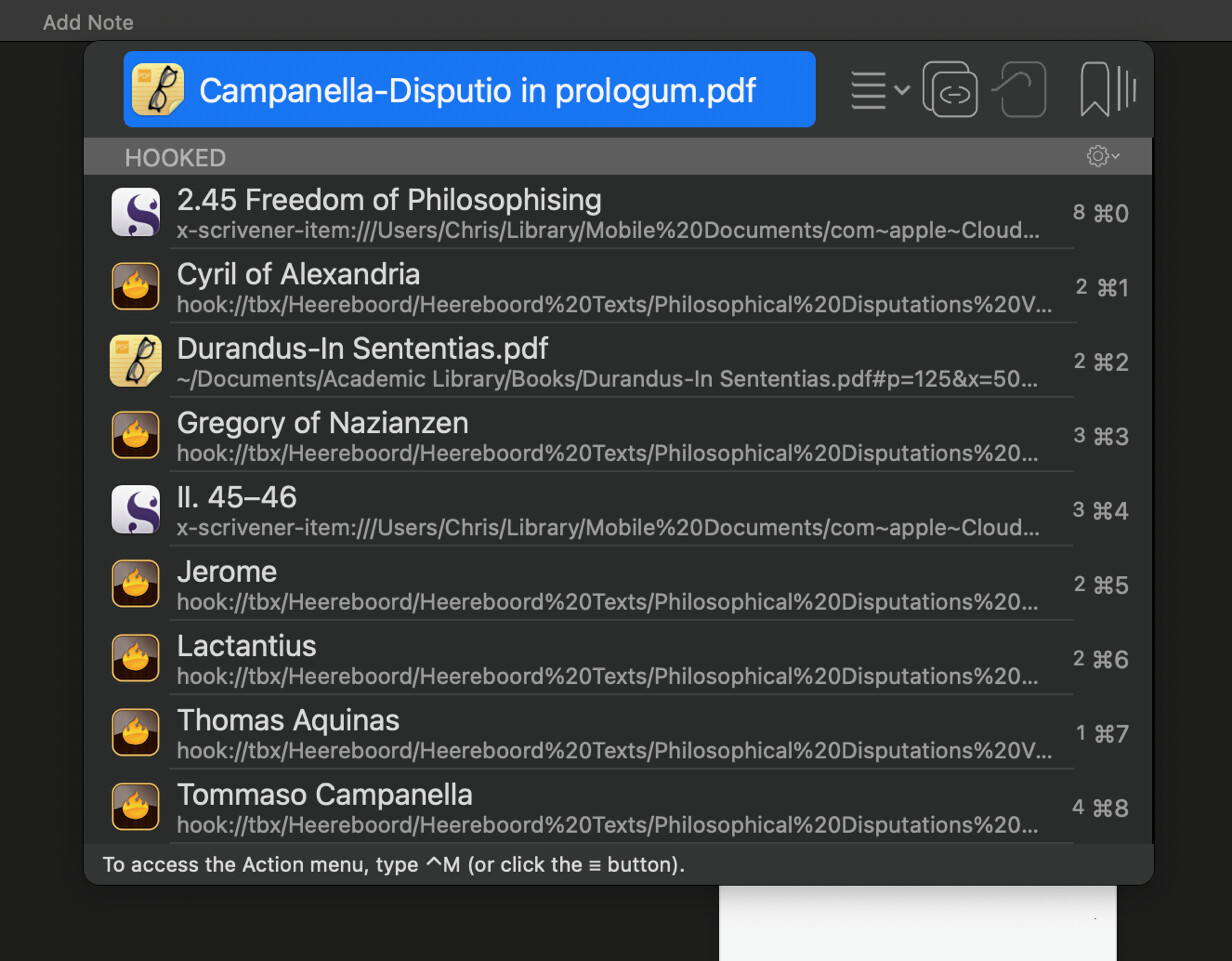
- Next, I selected Tommaso Campanella from the dropdown Hookmark window and double clicked the Tinderbox logo. It opened the TB note in outline view, with all the links intact.
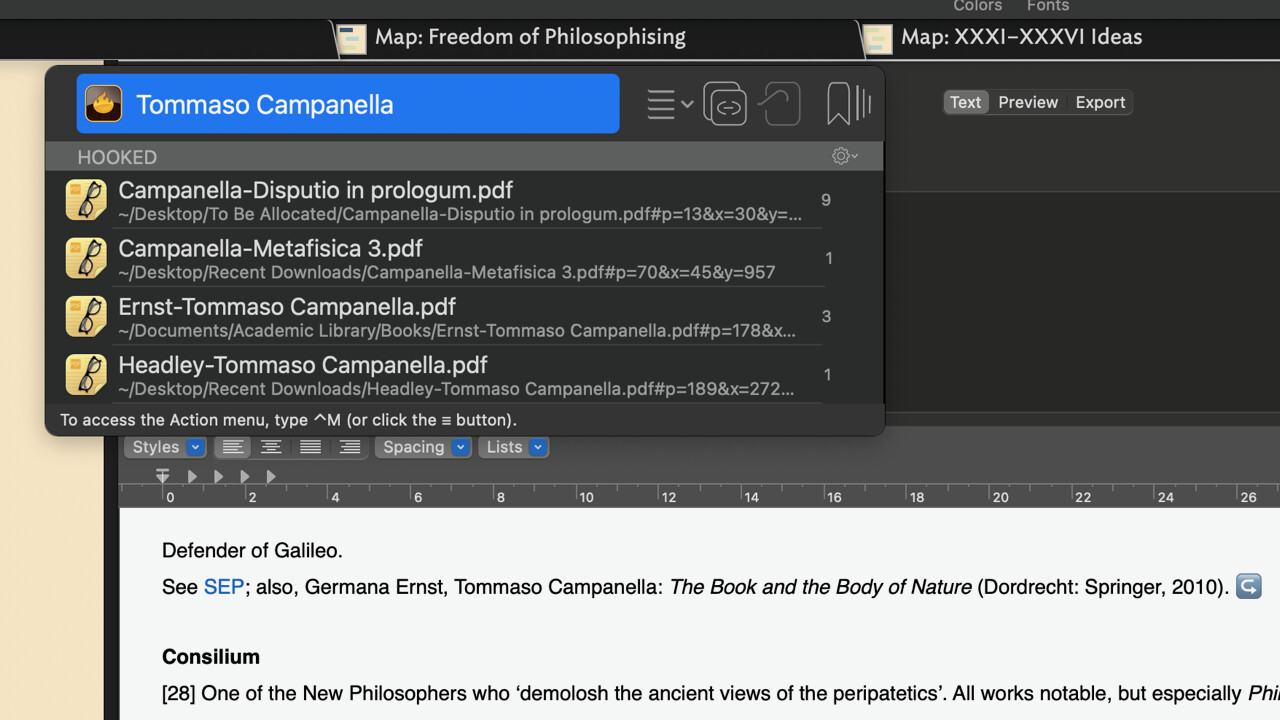
- When I tested one of the links that had now reappeared, it was fully functional. I thought that perhaps problem was limited to map view. But when I opened the Campanella note from within the TB file the links were missing irrespective of the view chosen.
RE: please do “copy link” after you invoke Hookmark window for this link? Then invoke Hookmark window for the same note in Tinderbox, also do “copy link”. Then post the two links here.
I’m not sure that this is what you’re asking for but here’s the result of copying and pasting the links.
From the Campanella PDF: Campanella-Disputio in prologum.pdf
From the TB note: Tommaso Campanella
I then discovered that for some Tinderbox notes the links along with their names have disappeared entirely.
Apologies, but I need to make a correction and clarify further. I said earlier that I used aliases to avoid duplicating TB notes. The Campanella example seems to have slipped through the net and there was a note with the same name in a different folder of the same project. I’ve removed the duplicate and reset the links and in this instance it now seems good.
However, there are other problematic notes with no duplicates where the links are not visible in the dropdown HM window. As before, when I open the TB note from a linked PDF in Skim, the links are all there. But something strange has happened. HM doesn’t actually open the TB note, but creates an alias when none previously existed for that note. It’s only this phantom alias that has the links, not the original note.
Thank you for your detailed explanation, @chris1 .
Could you please do the following:
(1)Invoke Hookmark on a problematic note in Tinderbox, do “Copy Markdown Link”
(2)Invoke Hookmark on the PDF file that has a link to the aforementioned problematic note, select this note in the window, do “Copy Markdown Link”
Then post both markdown link here.
Thank you
Thanks once again @bchend for your prompt response.
[Rodrigo de Arriaga](hook://tbx/Heereboord/Heereboord%20Texts/Consilium?view=outline+select=1743137089?filepath=/Users/Chris/Library/Mobile%20Documents/com~apple~CloudDocs/Tinderbox%20Projects/Heereboord.tbx)
[Rodrigo de Arriaga](hook://tbx/Heereboord/Heereboord%20Texts/Philosophical%20Disputations%20Vol.%20II/Freedom%20of%20Philosophising?view=outline+select=1750065783?filepath=/Users/Chris/Library/Mobile%20Documents/com~apple~CloudDocs/Tinderbox%20Projects/Heereboord.tbx)
While checking these links again, I think I may have solved the problem. All the problematic notes either have aliases or are aliases. In every case one and only one note (whether an original or alias) shows a given link, presumably the one in which the link was created. I’m guessing that, even though a file can be moved without breaking a Hookmark link, because an alias is in a different folder in a TB project, and the link from HM is location specific within TB, then a link can only be active in one instance of a note.
Assuming I’m right, I’m not sure if there’s a way around this. A workaround would be to mark in a note which alias has live links and use that to access linked files. I haven’t tested this, but perhaps it would work to create HM links only from the alias for which they are relevant, in which case each alias would show only the links generated from it. Otherwise I’m wondering – and I’m a bit out of my depth here – Whether it’s possible to create within the TB project, an agent which automatically assigns links to all aliases of the same note.