I’m sorry if this is an obvious thing for more knowledgeable users, but I’m a little surprised I haven’t to date found any workable means to have Hookmark ignore its usual Ctrl + H hotkey when I’m using the Kitty terminal application. I found some posts that suggested all I had to do was create a new script and leave it blank, but I can’t do that; it won’t give me the option to save it. I tried fiddling with various ways to return no valid link in my script, but that doesn’t seem to work either. Help?! Thanks in advance.
Thank you for contacting us, @Phileosophos .
Currently there is no way to do this. Will disable Ctrl+H and use alternative shortcut to invoke Hookmark work for you?
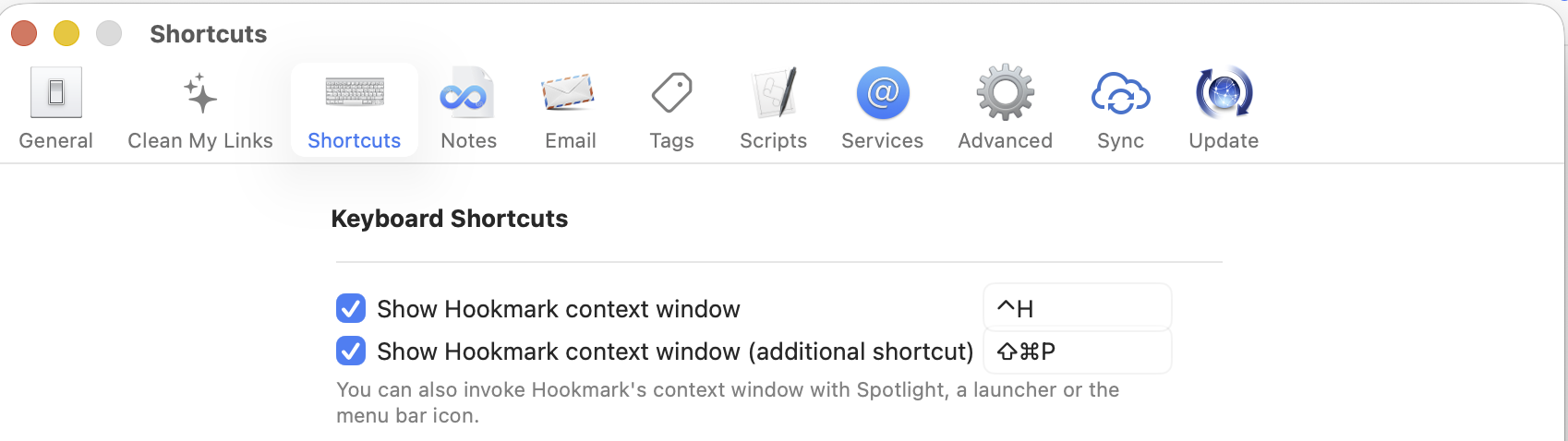
I’m a bit confused. Yes, I suppose I can disable the Hookmark context menu keyboard shortcut. But I haven’t found any way to remap that key. I’ve followed the instructions in your help on the subject, but the Hookmark app doesn’t appear in the list of available applications when I try to create a new app shortcut. Can you maybe advise what might be wrong? Does it matter that I’m using Hookmark through my SetApp subscription maybe?
just disable the first shortcut. Then put your cursor in the second text field and type in your shortcut.
Gotcha. So basically the first, main Ctrl + H shortcut can only be disabled, not changed. Got it. Thanks, now I think I’m tracking with you.