Today, I activated “Show current item’s number…” for the menu bar item. It usually works but not for OmniOutliner 6 documents. Is that a bug or am I just holding it wrong?
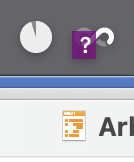
Thank you for reporting this issue, @anslogue_man .
If you invoke Hookmark over a OmniOutliner document, is there any error message in the Hookmark window?
Thank you
ok, this is strange… after quitting OO and restarting the app it appears that this issue with the particular file is gone.
However, on another note and related to this thread, the number is also shown correctly on files that still present errors (from inside OmniOutliner):
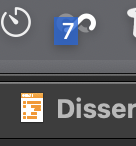

If you click on Hookmark menu bar icon, then click on “Show Hookmark Contextual Window”, will it work?
unfortunately no. Both shortcut and menu bar entry result in the same outcome
Just want to confirm, only this file is not working?
If you invoke Hookmark in Finder, will it work?
Could you please grant Hookmark full disk access and see if it helps?
EDIT: After resetting all security settings in macOS system settings everything worked from inside OO. However, after a few minutes the issues came back. I am annoyed and don’t pursue it any further. Probably only a system sweep would fix my issues with Hookmark and Omni Outliner documents that have active OmniLinks.