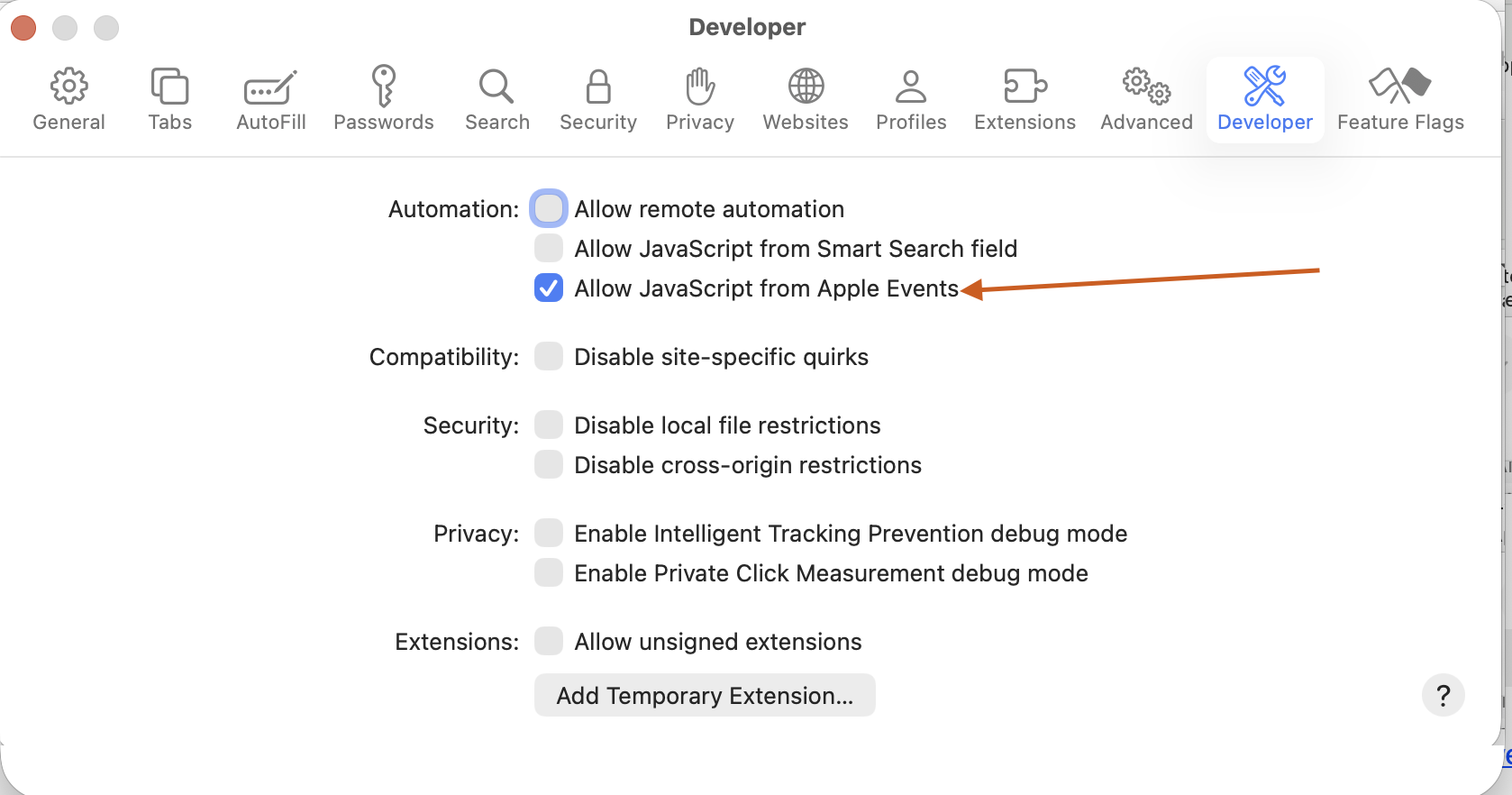
The previous update to the script broke Safari support if the user has not enabled “Allow JavaScript from Apple Events” in Safari’s Developer settings. This update fixed this issue.
If you don’t need this feature, you don’t need to do anything
If you want this feature, here is what you need to do:
- Show feature for Web Developers. You will get a warning. Read the warning and make sure you are OK with it. Most users probably are not comfortable with it. It is OK. You can do the selection separately.
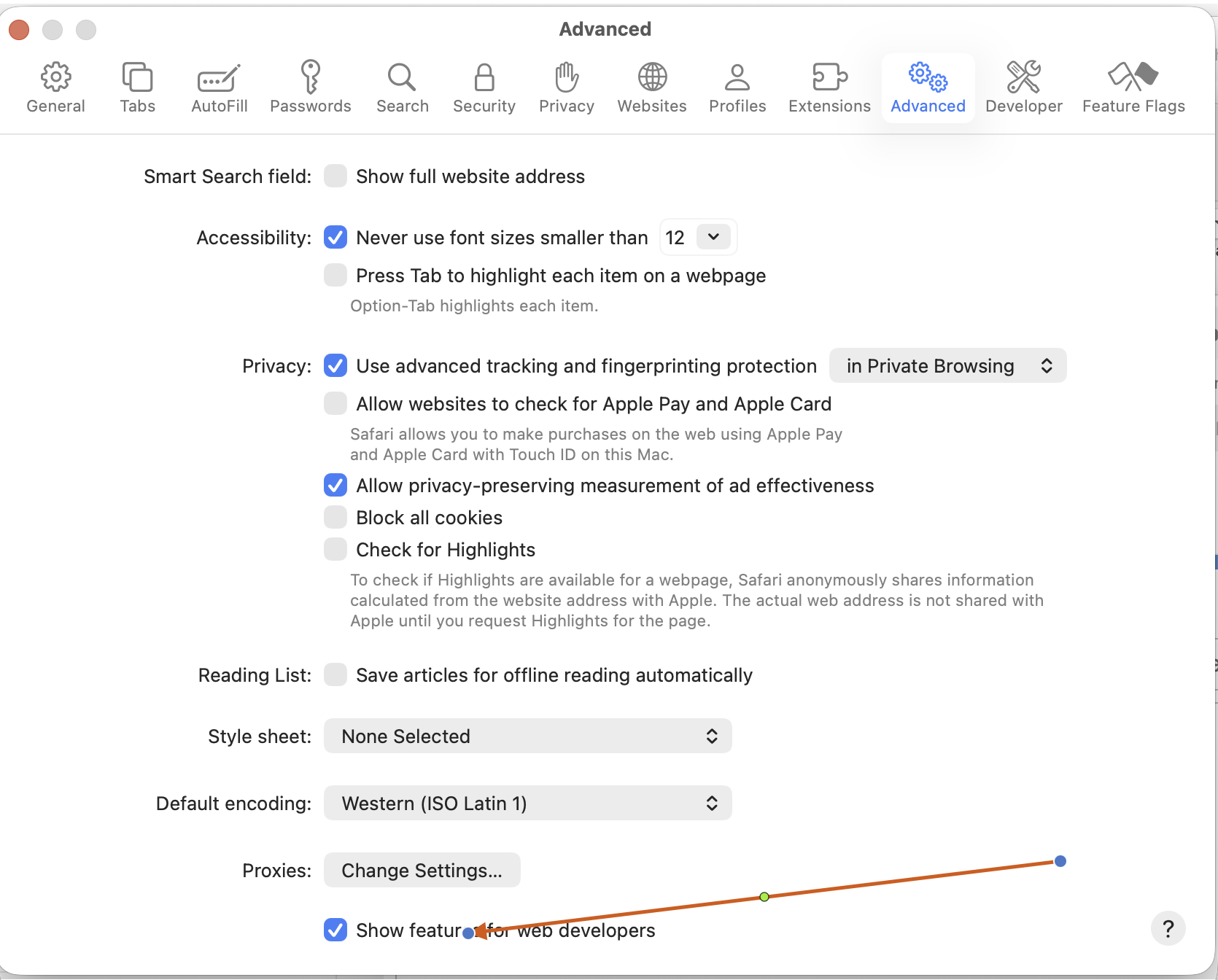
-
Turn on “Allow JavaScript from Apple Events”. You will get another warning. Please read it carefully before you accept it.