In System Settings, I have Hookmark set to open at log-in. But that means that every time I log in, the Hookmark window opens, too. I used to be able to have Hookmark load at log-in and just have its applet appear in the Menu Bar. Cn I get it to load without the whole window opening every time?
Sorry about this, @Prob .
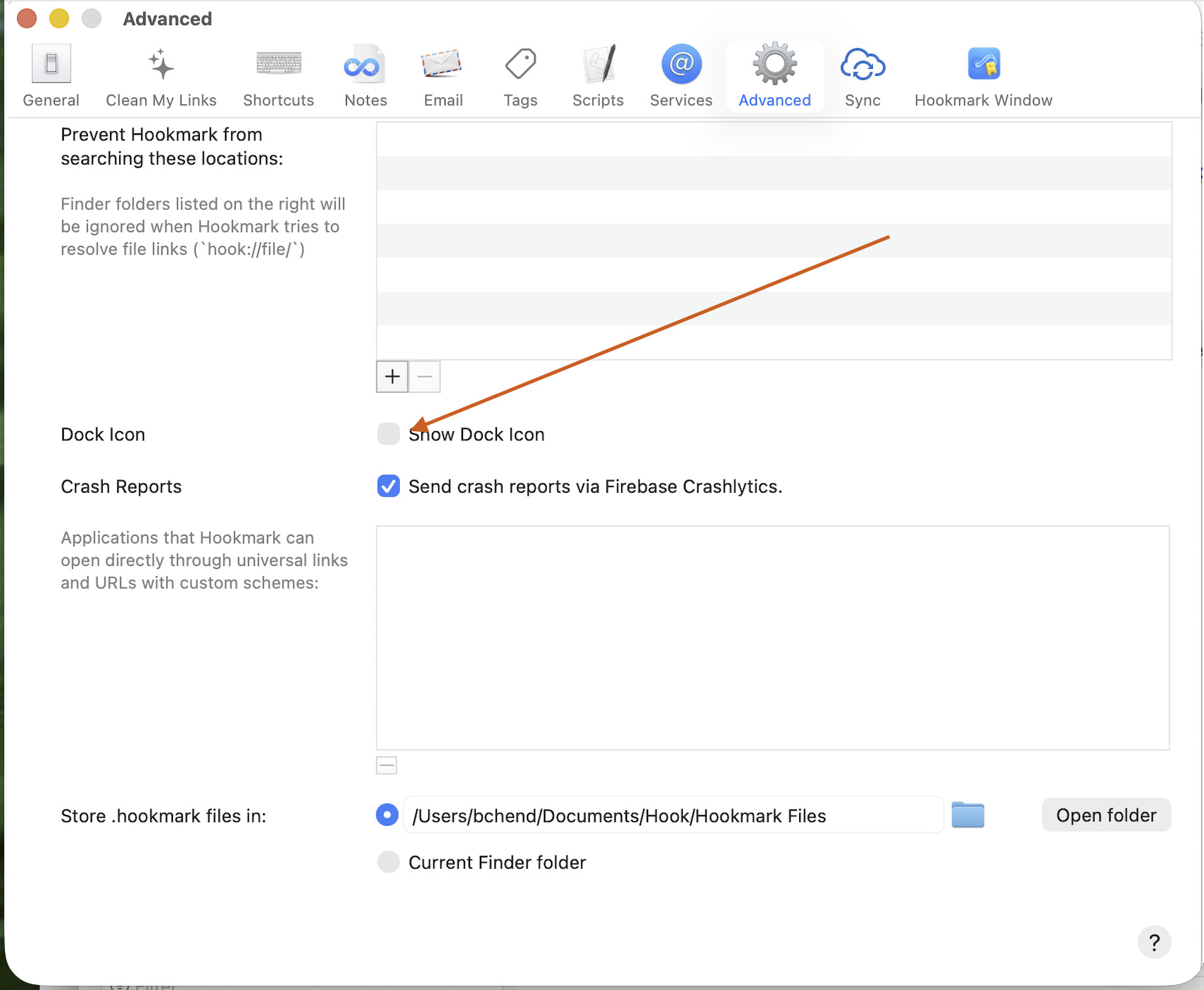
Since Hookmark 6.13, it is a foreground app by default.
And yes, you can set it to be a background app via Hookmark Settings window→Advanced→Turn off “Show Dock Icon”
Perfect. Many thanks.
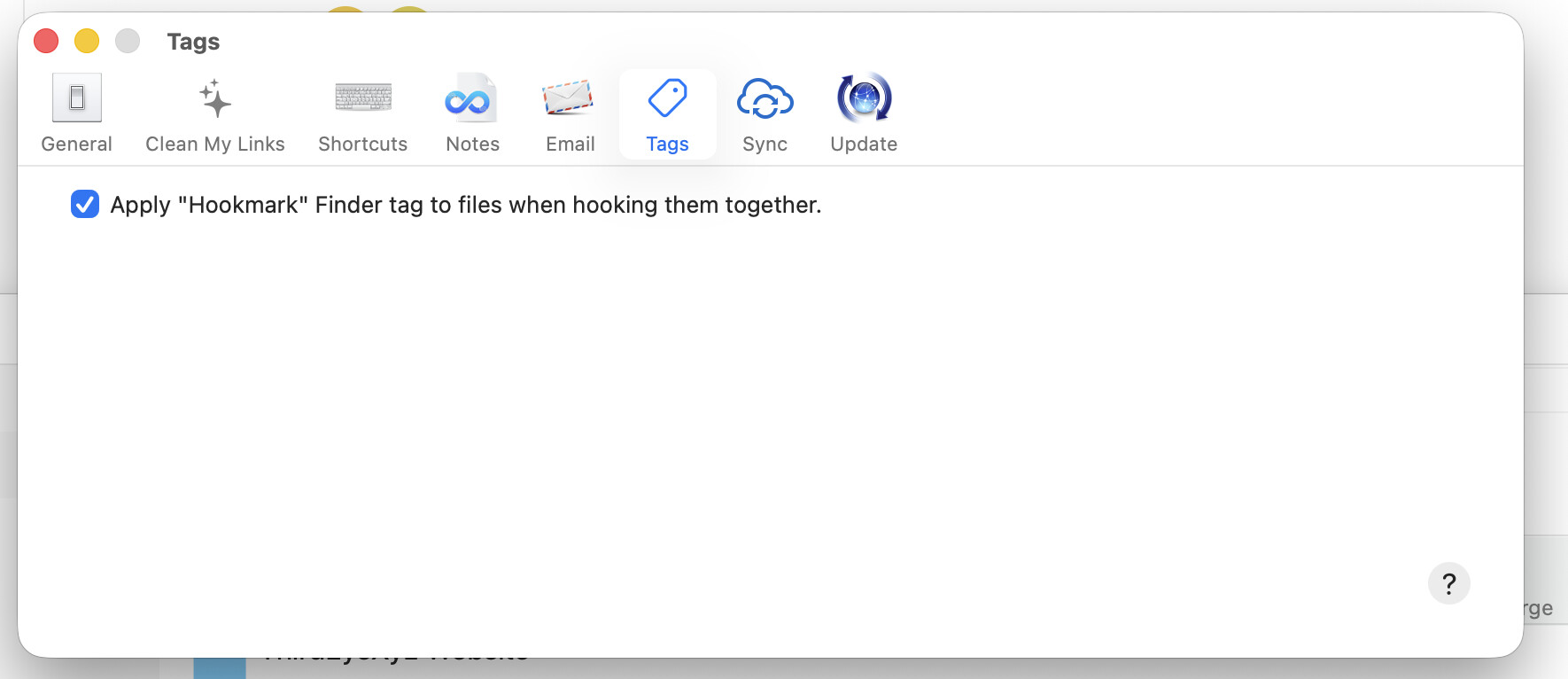
Hello, I have the same problem. Since the latest 6.x version, Hookmarks are also on my Dock. I have the Standard version, and I cannot see the “Advanced” tab in settings to switch that option off. As an attempt to find that option, I updated to version 7, but I still can’t find it.
What should I do?
Thanks in advance.
1 Like
Could you please copy and paste the following command in /Applications/Utilities/Terminal, then hit enter?
defaults write com.cogsciapps.hook background.app.mode 1
Then restart Hookmark.
Please let me know if it does not work.
Thank you
2 Likes