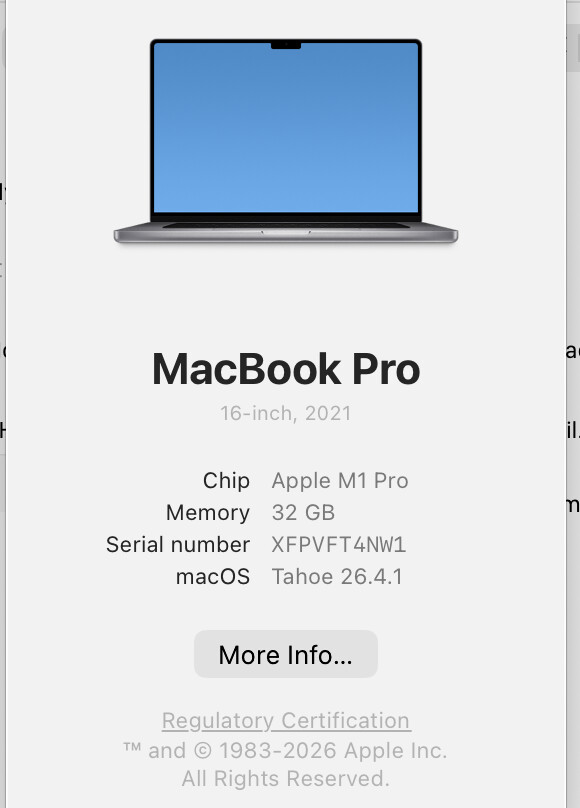
I wonder if only I am seeing this (latest Sonoma, Intel-Mac).
Turning on the badge icon, it many times appears at the right edge of the front window as advertised, but a similar amount of times it just stays where it is.
In my experience most often when the front application changes or a new window opens the badge does not move as advertised. Initially, I assumed a relation to the Apple-Scriptability of the front application or something, but it turns out that a small and simple, but completely unrelated mouse drag, e.g. here in the message editor or elsewhere, instantaneously makes the badge snap into the advertised position (unrelated to Apple-Scriptability).
Example:
Desktop without any visible windows, badge on, Finder active in front.
Open a new window from the menu or cmd-N. → badge does not move
Execute a minimal drag somewhere on the desktop image → badge immediately snaps in.
When moving the open window, the badge follows closely until the window’s final position
And, BTW, I have yet to see it somewhat off, as stated in Hookmark’s help. If it moves at all, it snaps in correctly for me.
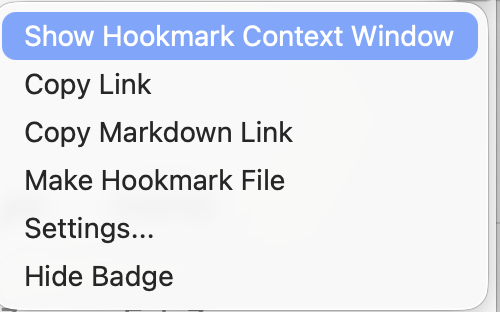
Therefore, the correction of this minor flaw in the positioning code would be greatly appreciated (as well as adding a menu point to access Hookmark’s settings could by quite handy, without overloading the menu).
In version 7.1 badge positioning has certainly improved - but the example I presented above is still problematic, since the repositioning mechanism seems solely tied to application switches.
(a) After closing every window of any running application OR hiding all applications with open windows (cmd-H) the badge stays where it was, in most cases somewhere in the middle of the screen. IMHO, it should have at least the curtesy to remove itself to somewhere at the edge of the desktop / screen.
(b) This especially since it is still unimpressed by new windows appearing onscreen.
Example:
Setting out from the state given in (a) above, click on the Desktop or otherwise switch to the Finder and open a new window (cmd-N or menu): no matter how many windows you open, the badge stays put.
Only after you switch to any other running application (with now window open) and then back to the Finder, the badge properly repositions itself along the side of the front most window.
Back in the Finder, open more windows: the badge ignores them again.
This observation about new windows is sadly not limited to the Finder, it seems to be valid for all apps. It seems that to fix this it may be necessary to poll window position and size of the frontmost app in intervals of a couple of seconds and go from there. Below modeled in AppleScript:
tell application “System Events”
set frontApp to first application process whose frontmost is true
tell frontApp’s window 1 to get its [position, size]
end tell
@bchend: Thanks for the heads-up!
Yes, works now, indeed!
But, accessibility for Hookmark was already granted. To get Hookmark Badge here on my Sonoma System into the List I had to dive into Hookmark’s application package and drag the contained HookmarkBadge.app to that list in System Preferences - where, oddly it turned out to be checked-on, too.
I turned both switches for both apps off and on again, and thus was able to make things work.
So the real challenge will be to ensure that (allegedly?) granted accesibility settings are really honored by the system and / or the app. Maybe show an error if something is wrong.
Didn’t have the time to check things thoroughly but at first glance my complaint is dissolved now.
The above repositioning issues. Also I couldn’t find a correlation between badge not showing and size, type, or any other window characteristics. It simply does not look for the front most window after its first move.
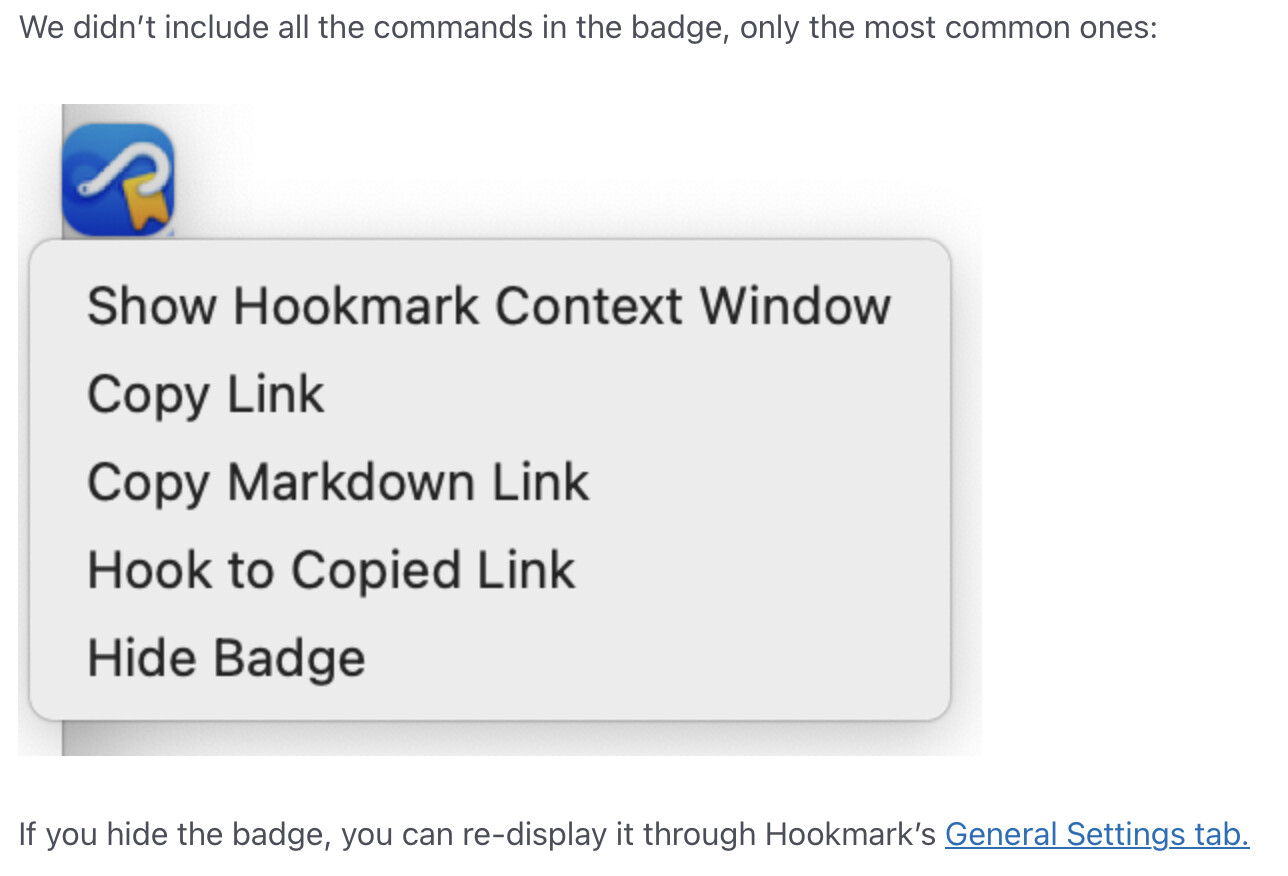
The icon/pop up menu is great but needs a few more choices on the list to be more valuable. Hook has grown. It wouldn’t hurt my flow to press the up or down key a couple of times if necessary to select. Or use the shortcuts from the context window.
Also,should there be a hookmark and a badge app permissions?
The above repositioning issues. Also I couldn’t find a correlation between badge not showing and size, type, or any other window characteristics. It simply does not look for the front most window after its first move.
The icon/pop up menu is great but needs a few more choices on the list to be more valuable. Hook has grown. It wouldn’t hurt my flow to press the up or down key a couple of times if necessary to select. Or use the shortcuts from the context window.
Also,should there be a hookmark and a badge app permissions?
@bchend: Thanks for the heads-up!
Yes, works now, indeed!
But, accessibility for Hookmark was already granted. To get Hookmark Badge here on my Sonoma System into the List I had to dive into Hookmark’s application package and drag the contained HookmarkBadge.app to that list in System Preferences - where, oddly it turned out to be checked-on, too.
I turned both switches for both apps off and on again, and thus was able to make things work.
So the real challenge will be to ensure that (allegedly?) granted accesibility settings are really honored by the system and / or the app. Maybe show an error if something is wrong.
Didn’t have the time to check things thoroughly but at first glance my complaint is dissolved now.
In version 7.1 badge positioning has certainly improved - but the example I presented above is still problematic, since the repositioning mechanism seems solely tied to application switches.
(a) After closing every window of any running application OR hiding all applications with open windows (cmd-H) the badge stays where it was, in most cases somewhere in the middle of the screen. IMHO, it should have at least the curtesy to remove itself to somewhere at the edge of the desktop / screen.
(b) This especially since it is still unimpressed by new windows appearing onscreen.
Example:
Setting out from the state given in (a) above, click on the Desktop or otherwise switch to the Finder and open a new window (cmd-N or menu): no matter how many windows you open, the badge stays put.
Only after you switch to any other running application (with now window open) and then back to the Finder, the badge properly repositions itself along the side of the front most window.
Back in the Finder, open more windows: the badge ignores them again.
This observation about new windows is sadly not limited to the Finder, it seems to be valid for all apps. It seems that to fix this it may be necessary to poll window position and size of the frontmost app in intervals of a couple of seconds and go from there. Below modeled in AppleScript:
tell application “System Events”
set frontApp to first application process whose frontmost is true
tell frontApp’s window 1 to get its [position, size]
end tell
Just figured out what the problem WAS. Stage Manager is effecting the badge. When I minimize a window that’s the badge is on the badge goes with it.
I later confirmed the repeatability of the above action. Something else that could be related? I first noticed with Tahoe that when you open or switch windows, the opening window is not active until it’s clicked on. You have a new front window, complete, but very slightly greyed. Maybe I’m wrong but it’s never worked that way; the new one was always active when it opened.
Another test. I opened a window that was larger than the one it opened over. There was no badge movement until I clicked on the new window then the badge was instantly where it was supposed to be.


 |
|  |
|  |
|