# Hookmarks in Morgen app
**URL:** https://discourse.hookproductivity.com/t/hookmarks-in-morgen-app/9659
**Category:** Discussion & Help
**Created:** [March 13, 2026, 7:11am UTC](https://discourse.hookproductivity.com/t/hookmarks-in-morgen-app/9659 "2026-03-13T07:11:24Z")
**Posts on this page:** 7
**Page:** 1
### Author:  [@Aaron](https://discourse.hookproductivity.com/u/Aaron)
#### Post date: [March 13, 2026, 7:11am UTC](https://discourse.hookproductivity.com/t/hookmarks-in-morgen-app/9659/1 "2026-03-13T07:11:25Z")
I just recently started using the Morgen app for task scheduling, and in the notes field I want to use Hookmark to directly link to a relevant email. Whether I just use the standard command+C to save the Hookmark or save it as a markdown link, both appear broken in the notes field and not ‘clickable’ (see attached)
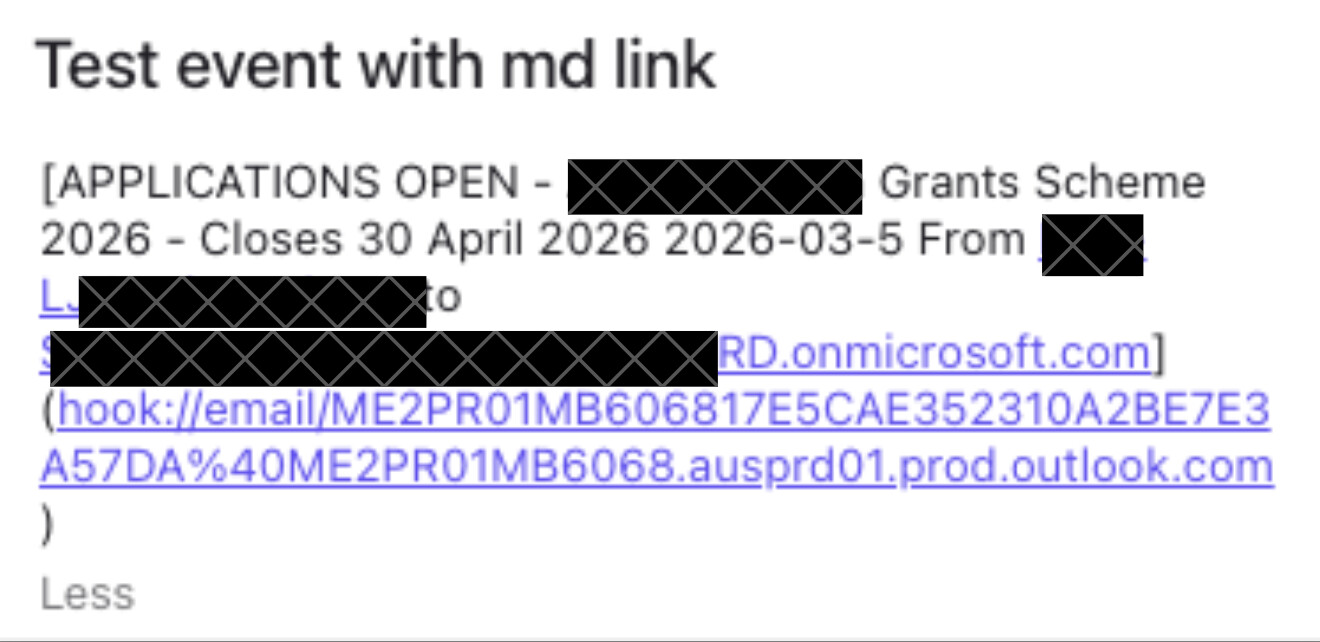
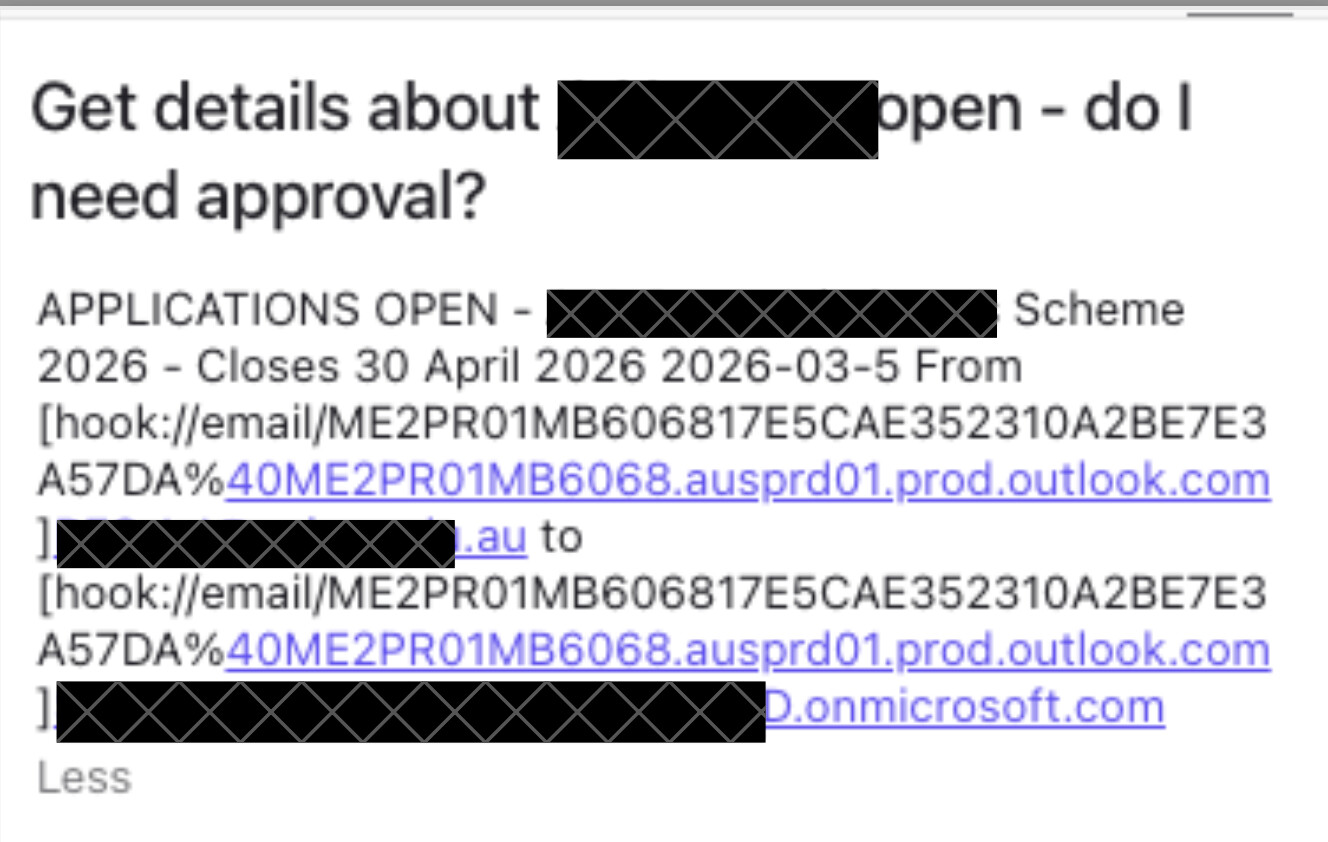
. I’ve also tried the standard Universal and Markdown Universal links as well, with the same issue. Can you offer any advice? Is there a need for some scripting or something to make this work correctly, appreciating that this is probably an issue on the Morgen side, not so much Hookmark?
---
### Author:  [@bchend](https://discourse.hookproductivity.com/u/bchend)
#### Post date: [March 13, 2026, 7:16pm UTC](https://discourse.hookproductivity.com/t/hookmarks-in-morgen-app/9659/2 "2026-03-13T19:16:54Z")
Thank you for contacting us, @Aaron .
It seems this is not under our control.
Can a web link be displayed properly? [Hookmarks in Morgen app](https://discourse.hookproductivity.com/t/hookmarks-in-morgen-app/9659)
---
### Author:  [@Aaron](https://discourse.hookproductivity.com/u/Aaron)
#### Post date: [March 14, 2026, 8:04am UTC](https://discourse.hookproductivity.com/t/hookmarks-in-morgen-app/9659/3 "2026-03-14T08:04:54Z")
Ordinary web link does display fine
![PastedGraphic-1.tiff]()
What could be the cause of the difference? Why would web URL display properly but not Hookmark?
(Attachment PastedGraphic-1.tiff is missing)
---
### Author:  [@bchend](https://discourse.hookproductivity.com/u/bchend)
#### Post date: [March 14, 2026, 5:09pm UTC](https://discourse.hookproductivity.com/t/hookmarks-in-morgen-app/9659/4 "2026-03-14T17:09:41Z")
Not sure it is because the emai address in the link.
Could you please try to paste a Hookmark file URL in the note? E.g., [hook://file/6GeRklHFi?p=TW9ierlIERvY3VtZW50xhedWR+Y29tfmNvZ3NjaxxcHN+aG9vaw==&n=Documents)](https://hookmark.net/hm/hook/application/com.uranusjr.macdown)
---
### Author:  [@Aaron](https://discourse.hookproductivity.com/u/Aaron)
#### Post date: [March 15, 2026, 11:53am UTC](https://discourse.hookproductivity.com/t/hookmarks-in-morgen-app/9659/5 "2026-03-15T11:53:09Z")
Interesting… when I pasted the Hookmark file URL in the note, closed it and reopened it it appeared like this:
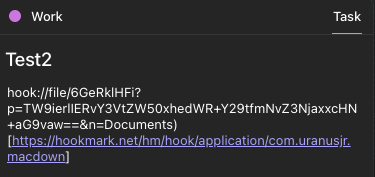 when I clicked on the hyperlinked section, it took me to Hookmark.
Is there a way to convert Hookmark links to file URLs??
---
### Author:  [@bchend](https://discourse.hookproductivity.com/u/bchend)
#### Post date: [March 16, 2026, 8:02pm UTC](https://discourse.hookproductivity.com/t/hookmarks-in-morgen-app/9659/6 "2026-03-16T20:02:29Z")
If you just want to copy file URL, go to Hookmark action menu→Advanced→Copy as Path, holding option key will have “Copy as file URL”.
Otherwise, you can use Hookmark AppleScript to convert Hookmark links to file URLs.
Thank you
---
### Author:  [@Aaron](https://discourse.hookproductivity.com/u/Aaron)
#### Post date: [March 18, 2026, 1:09am UTC](https://discourse.hookproductivity.com/t/hookmarks-in-morgen-app/9659/7 "2026-03-18T01:09:20Z")
I also discovered in the options that there was an Apple Mail link which worked perfectly as well. Thank you for your help.